

WiFi
Personal WiFi routers are not allowed at Wolfson. Wifi is available across the site.
Instructions
1. Select the network Wolfson-WiFi-Start-Here.
2. A pop-up window should automatically open. If that fails, start a web browser such as Chrome, Firefox etc. and go to this address https://wifi.wolfson.cam.ac.uk
3. You should see the following page, which shows two categories. Choose the appropriate one.
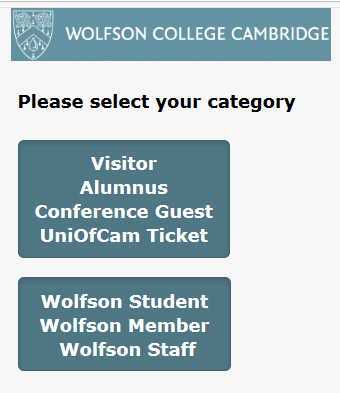
Visitor/Alumni/Conference Guest/UniOfCam Ticket
If you select this category, you will see the following options:
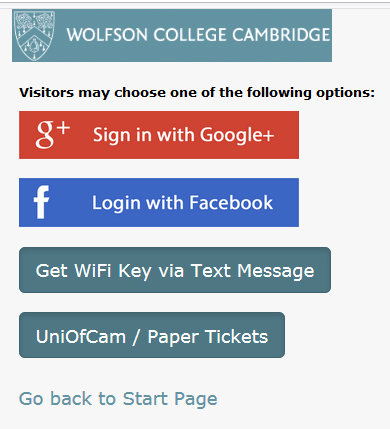
| Service | Google & Facebook | SMS Authentication | UniOfCam/Paper Ticket |
|---|---|---|---|
| Installation | Fairly easy & quick. Needs a Google or Facebook account. | For mobile phones. Easy & quick. Requires new key every 30 days. |
Easy, needs a paper ticket from the Porters |
| Suitable for | Visitors | Visitors | Anyone who cannot use other methods or specifically needs access to the UniOfCam network. |
| Procedure | Login to Google or Facebook then agree to Terms & Conditions. |
1. Enter your name, select the country where your mobile phone is registered, and enter the mobile number. 2. Click 'Get Key. button. You will receive a text with an 8-digit number. 3. Scan for networks again and select WolfsonCollege network. When asked for a key, enter the 8-digit number. |
Pick up a WiFi ticket from the Porters’ Lodge. Enter ticket number and password from the ticket on to the UniofCam option page. |
Students and other members
If you select this category, you will see the following options:
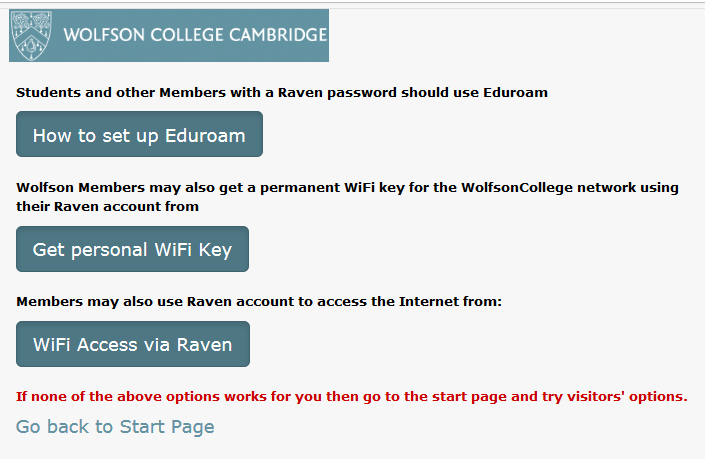
| Service |
Eduroam |
Personal WiFi Key | Access via Raven |
|---|---|---|---|
| Installation | Takes a few steps, but once installed it should work throughout the University and in other academic institutions. | Easy & quick. Needs a Raven account for the first time. | Easy & quick. Needs a Raven account. |
| Suitable for | Students and members with Raven accounts. | Students and members with Raven accounts. Designed for devices that cannot connect to Eduroam, such as printers, game consoles & NAS boxes. | Students and members with Raven accounts. |
| Procedure |
1. Open this page to get a token. 2. Login via Raven and you will be given a 16-letter token (password). 3. You may need to download and install a profile for your device. Instructions are here. 4. Enter your username (email) and password. |
1. Open this page to get a key. 2. Login via Raven and accept the Terms & Conditions. 3. You will be given a unique key. 4. Scan for networks again and select WolfsonCollege network. Enter your unique key. |
1. You will be forwarded to the Raven authentication page. 2. After successful authentication, accept the Terms & Conditions. |
Eduroam is generally preferred because it is available in many places across the University and at participating Eduroam institutions worldwide, so you can access most of the services available to you in Cambridge when travelling. Eduroam can be configured on laptops (Windows, MacOS, Linux) and mobile devices.
Wired Network
All College accommodation on site is wired for online access via ethernet.
What you need
A personal computer (desktop or laptop, PC or Mac) with a network interface and ethernet cable. You can obtain an ethernet cable for £5 from the Porters’ Lodge.
Instructions
1. In the Control Panel (PC) or System Preferences (Mac), check that your computer is set to 'Obtain an IP address automatically' from a DHCP server.
2. Plug one end of the network cable into your computer, and the other end into the ethernet socket in your room.
- If your room has two network sockets in all blocks except R and S, then use the left-hand socket.
- If your room is in R block or S block then use the right‐hand network socket.
3. Restart your computer.
You should now have limited network connectivity, which will enable you to access the Wolfson registration server.
4. Open a web browser (Firefox, Chrome, Safari, etc) and go to https://internet.wolfson.cam.ac.uk/
This page offers two options:
- Self‐registration using Raven login (5 minutes)
- Submit an online application to the IT Office (usually within one working day)
All users of the network at Wolfson must agree to the College Network Policy as a condition of access.